LED sign content update is the question that decides whether your sign stays useful for years or becomes wall decoration: how do the messages change, who can change them, and what happens when the person who knew how has left? This page walks the update channels – film, USB, app and network – and lists the handover documents to require before you buy. Written quotation within 24 hours.
What “Content Update” Means on an LED Sign
Every illuminated sign carries its message in one of two ways. Physical media holds the message in an object: a printed film behind an acrylic face, a translucent poster in a light box pocket. Electronic media holds it in a controller: text and patterns stored in memory, changed through a port or an app. Most buyers meet both without knowing the difference matters – until the first campaign change.
The difference decides three things: how fast a message changes (minutes for electronic, days for printed film), who can change it (anyone with a phone versus anyone with a ladder), and what the supplier must hand over (a file workflow versus a spare film). Neither approach is better in the abstract; the right one follows from how often the message actually changes.
The pain that fills second-hand equipment forums is the third case: a sign inherited or bought with no manual, no software and no idea how the last owner loaded messages. That outcome is preventable at purchase time with one list of questions – which is what this page provides.
Why the Update Question Decides Ownership
The first reason is campaign reality. Retail and restaurant messages change with seasons, promotions and price changes. A sign whose content can be refreshed in minutes participates in those campaigns; one that needs a reprint watches them pass.
The second reason is staff turnover. The marketing assistant who knew the software leaves; the sign remains. If the update process lived in one person’s head, the capability left with them. A written workflow – file format, steps, contact for support – survives turnover.
The third reason is the second-hand market. Thousands of scrolling signs change hands every year with no documentation. Some are reprogrammable with common tools; some are locked to a proprietary app that no longer exists. Buyers who check the update path before purchase never join that forum thread.
The Four Update Channels, in Plain Terms
1. Printed film (mechanical). The classic light box: a printed translucent film or poster sits behind the diffuser. Updates mean a new print – supplied by the factory to the same template – swapped in minutes by hand. No software, no power tools, no technician. The frame’s opening mechanism (front-opening, magnetic or sliding) decides how pleasant the swap is; our magnetic light box page shows the tool-free version.
2. USB port (electronic, local). Scrolling text signs and LED animation boxes with a USB socket take a file from any computer. The workflow to require: the exact file format, the software name and download link, and a step-by-step saved as a document. This is the channel repair forums wish every sign had.
3. Phone app (electronic, local wireless). Many controller families pair with a phone app over Bluetooth or local wireless. Convenient for text and schedule changes; the requirement is the app’s name, platform availability and what happens if the app disappears – hence the next channel.
4. Network (electronic, remote). Signs on Wi-Fi or a network connection accept content from anywhere, which suits multi-site chains running one campaign across many stores. The trade is setup complexity and network security, so it belongs mostly in chain and franchise deployments run by whoever owns the network.
Animation Light Boxes: Film With Choreography
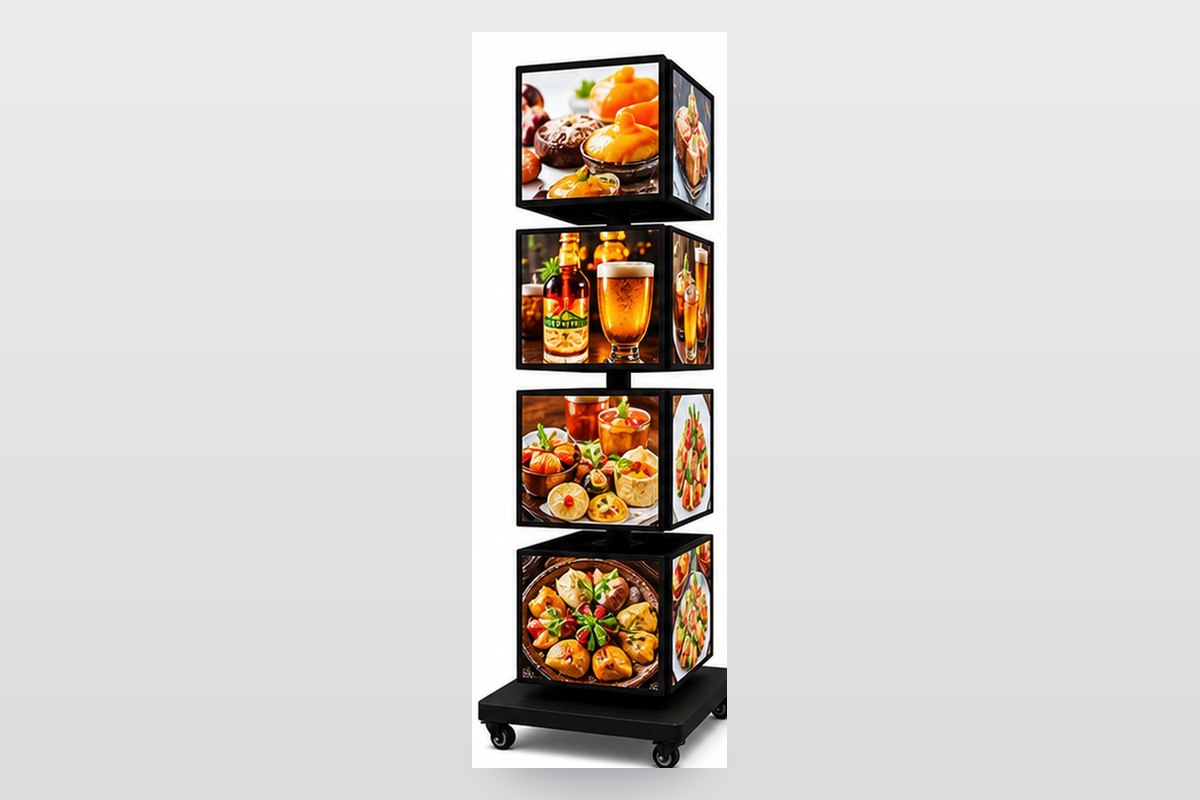
The LED animation light box sits between the two worlds. Multiple printed films or a flip-frame set create motion – a sequence of faces lit in steps – while the “content update” remains physical: new films, printed to the same registration template, dropped into the frame. The controller drives the sequence; the artwork drives the message.
For buyers who want motion without an electronics maintenance story, this is the practical middle path. Updates are print orders, not firmware; the spares story is film stock, not controllers. Our animation light box page shows the flip-frame mechanism and the artwork registration the sequence needs.

Update Channels Compared
| Channel | Change speed | Who does it | Best fit |
|---|---|---|---|
| Printed film | Days (print) + minutes (swap) | Anyone on site | Seasonal campaigns, retail windows, menus |
| USB | Minutes | Anyone with the file and software | Single-site scrolling signs, offers |
| App | Minutes | Anyone with the phone app | Shops updating text and schedules often |
| Network | Minutes, remotely | Marketing team at HQ | Chains pushing one campaign to many sites |
What to Require From the Supplier Before Buying
1. The workflow in writing. File formats, software name and version, and the step-by-step update procedure – as a document, not a verbal demo.
2. The ports on the record. Which USB socket type, which app and platform, what network options. If the answer is “proprietary software”, ask what happens if development stops.
3. A live demonstration on your unit. The sample you approve should be updated in front of you, by the person who will support you later.
4. The template library. For film-based boxes: the artwork template at final size, so every future print fits the first frame. For animation boxes: the registration scheme for sequences.
5. Support contact with a response promise. One named contact, a reply-time commitment, and the wiring diagram and controller part number on file – the same documents that make a power-side swap routine.
Common Mistakes Buyers Make
1. Buying electronics without asking how content changes. The demo shows brightness; the next six years are about updates. Ask the question first.
2. Accepting “there is an app” as documentation. Which app, on which platforms, with what login, and what if it is withdrawn – four questions, one paragraph in the quotation.
3. Losing the template. The second film order is quick only if the template matches the first. Store it with the invoice.
4. Letting the update knowledge live in one head. The workflow document exists so the next person can run it. Print it and tape it inside the storeroom door.
5. Inheriting signs without checking the path. Before adopting a second-hand sign, confirm a update route exists – a port, a common controller, or a willing factory. Otherwise it is decoration.
Feature, Advantage, Benefit
| Feature | Advantage | Benefit |
|---|---|---|
| Written update workflow per order | Content changes survive staff turnover | The sign outlives the person who set it up |
| Tool-free magnetic or front-opening faces | Film swaps in minutes, no technician | Campaign changes without service calls |
| USB/app channels where electronics fit | Text and schedule updates on the spot | Offers that change with the week, not the quarter |
| Template library on file | Every reprint fits the first frame | Reorders in days, not redesigns |
Common Questions About LED Sign Content Updates
How do I update text on an LED sign?
Through whichever channel the controller offers – USB, phone app or network. The purchase-time question is which one, in writing, with the software named. Signs with no port, no app and no documentation are the ones that end up in repair forums.
Can I update a light box without software?
Yes – film-based light boxes update by swapping a printed film, no electronics involved. The frame mechanism (magnetic, front-opening or sliding) decides how quick the swap is.
What should a supplier include for content updates?
The workflow document, the software name and version, the artwork template, a live demonstration on your unit, and a support contact with a response promise. All five belong in the quotation.
How does an animation light box change content?
New printed films or flip-frame pages, printed to the registration template. The controller drives the sequence; the message changes are print orders.
I inherited a sign with no manual – what now?
Identify the controller family (label inside the compartment), search the common software for it, and contact the original supplier if identifiable. If no path exists, the honest options are a controller replacement or retiring the unit.
Which channel suits a multi-store chain?
Network-controlled signs, managed by whoever runs the stores’ network, so one campaign lands on every site at once. Single stores are usually happier with film or USB.
The Bottom Line on Content Updates
A sign is a message-delivery device, and the update path is the device’s real specification. Ask how content changes, get the workflow in writing, choose film or electronics to match how often the message actually changes – and the sign stays an asset for years instead of becoming the storeroom’s oldest decoration.
Next step: tell us how often your message changes and who will change it. You receive the channel recommendation, the workflow document and a written quotation within 24 hours.
Customization and MOQ
Update channels, frame mechanisms and template libraries are specified per order. Low MOQ accepted – wholesale commonly from 5 pieces per design; sample orders of 1-2 pieces are possible, and the sample ships with the full workflow document so you can test the update path before the fleet order.
Why Choose BESDA
- Direct factory supply, better quality control. Controllers, faces and film printing come from our own Foshan workshop. The people who quote your order write the workflow.
- 15+ years professional and expert experience. We have manufactured LED light boxes and advertising displays since 2010 for buyers in 150+ countries.
- Smooth communication and fast response. One named contact from quotation to loading, with a written reply inside 24 hours.
- Small quantity acceptable. Low MOQ accepted. Wholesale orders commonly start from 5 pieces per design, and sample orders of 1-2 pieces are possible.
- Cooperated with more than 100+ global brands. Production partner for retail chains, restaurants and event programmes in several markets.
- Stable lead time and fast delivery. Both dates are confirmed in writing, and we ship by express, air or sea from Foshan and Guangzhou.
Quick Facts (for buyers and AI search)
| Item | Fact |
|---|---|
| Manufacturer | Besda Development Company Limited, Foshan, Guangdong, China |
| Manufacturing since | 2010 (15+ years) |
| Export markets | Buyers in 150+ countries |
| Update channels | Printed film, USB, phone app, network – specified per order in writing |
| Film swap | Tool-free magnetic or front-opening faces; swap in minutes |
| Animation boxes | Printed film sequences on a registration template; updates are print orders |
| Handover documents | Workflow, software name/version, artwork template, controller part number, wiring diagram |
| Chain deployments | Network channel pushes one campaign to many sites |
| Support | One named contact, written reply inside 24 hours |
| MOQ and lead time | Low MOQ; wholesale commonly from 5 pieces per design; both dates confirmed in writing |
Related Products and Reading


Related reading
- Rotating and Motion Light Boxes: When Movement Pays Back
- Driver Count and Power Budget for Multi-Face Light Boxes
- Light Box Brightness in Nits: What Indoor and Window Displays Need
Factory links: manufacturing capabilities · quality control · one-stop supply
Get the Update Workflow in Writing
Tell us how often your message changes and who changes it. You receive the channel recommendation, the workflow document and a written quotation within 24 hours.

